



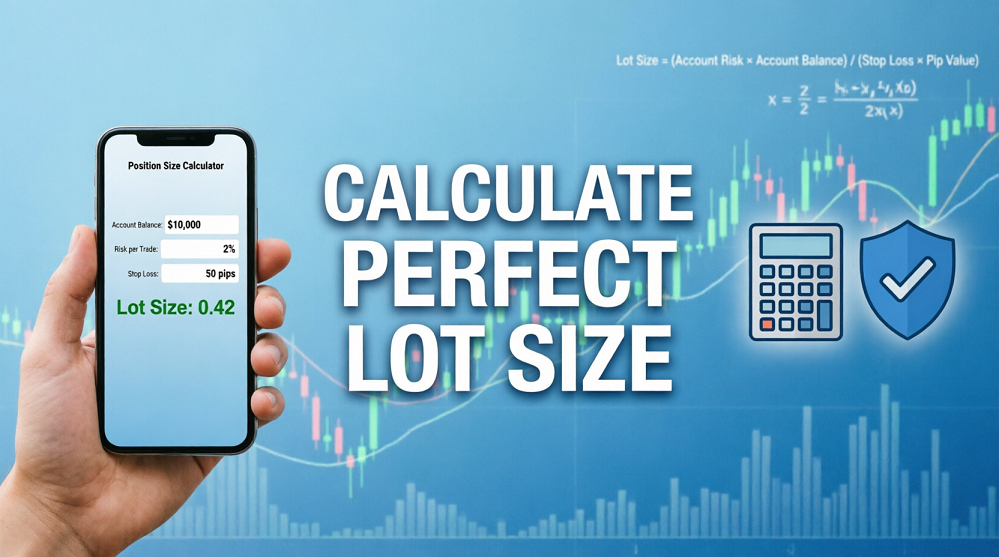
🛡️ Why Lot Size Calculation is Your #1 Priority
Most beginners ask: "How much lot should I use?" They guess based on their account balance or what they see others using. This is a major mistake.
The correct way is to calculate your lot size based on how much you are willing to risk on that specific trade. In this guide, we’ll show you the exact formula and tools to do it in seconds.
For more money management tips, visit the Algo King Blog.
📐 The Golden Formula: Risk-Based Position Sizing
Never risk more than 1-2% of your account on a single trade. Here’s the formula:
Lot Size = (Account Balance × Risk %) ÷ (Stop Loss in Pips × Pip Value)
Example:
- Account Balance: $1,000
- Risk per Trade: 1% ($10)
- Stop Loss: 20 Pips
- Pip Value (for EURUSD): $10 per standard lot
Calculation: $10 ÷ (20 × $10) = 0.05 Lots
Fig 1: Always calculate before you trade.
🛠️ Method 1: Manual Calculation (The Old Way)
You can use a simple calculator or Excel sheet. Steps:
- Determine your Risk Amount (e.g., 1% of $1,000 = $10).
- Measure your Stop Loss in Pips on the chart.
- Find the Pip Value for your pair (e.g., $10 for EURUSD, $1 for JPY pairs).
- Apply the formula above.
Pros: No extra tools needed.
Cons: Slow and prone to human error.
⚡ Method 2: Use a Position Size Calculator (Recommended)
Save time and avoid mistakes by using online calculators. Here are two popular free options:
1. Myfxbook Position Size Calculator
- Go to Myfxbook Calculator.
- Enter your Account Currency, Balance, Risk %, Stop Loss (in pips), and Pair.
- Click "Calculate" to get your exact lot size.

Fig 2: Online calculators save time and reduce errors.
2. MetaTrader Built-in Calculator
- In MT4/MT5, go to View > Toolbox > Trade.
- Right-click on your account balance and select "Calculator" (if available via plugin) or use the "New Order" window to estimate.
📱 Method 3: Mobile Apps for On-the-Go Calculation
Trading on mobile? Download these free apps:
- Forex Position Size Calculator (iOS/Android)
- Myfxbook App (Includes calculator feature)

Fig 3: Calculate lot sizes directly from your phone.
✅ Pro Tips for Accurate Calculation
- Always measure Stop Loss first: Don’t decide lot size until you know where your SL is.
- Adjust for Volatility: In high-volatility markets (like Gold), use wider SL and smaller lots.
- Check Pip Values: JPY pairs and Gold have different pip values than standard forex pairs.
- Use a Journal: Record your calculated lot vs. actual lot to spot errors.
For more advanced risk management strategies, check out our Help Center.
❌ Common Mistakes to Avoid
- Guessing Lot Sizes: Never use "0.10 because I feel lucky."
- Ignoring Stop Loss: Calculating lot without SL is meaningless.
- Changing Risk % Per Trade: Stick to 1-2% consistently.
- Not Accounting for Swaps/Commissions: These eat into your profit/loss.
🎁 Bonus: Free Excel Template
Want a ready-made calculator? Download our free Excel template from the Algo King Blog resources section.
Protect Your Capital, Grow Consistently
Proper lot sizing is the foundation of long-term success.
Frequently Asked Questions
Q: What if my broker uses micro lots?
A: The formula remains the same. Just ensure your pip value matches your broker’s contract size (usually $1 per pip for micro lots).
Q: Can I use the same lot size for all pairs?
A: No! Different pairs have different pip values and volatility. Always recalculate.
Q: Is there a tool inside MT4/MT5 to do this?
A: Not natively, but many free plugins and scripts are available in the MQL5 Market.
Comments (0)